Purpose
Automatically load selected
Env Data files when Truss Studio is launched.
Steps
- Navigate to Environment menu > Set Default Startup Files..
The Auto-Load Environment Files dialog displays.
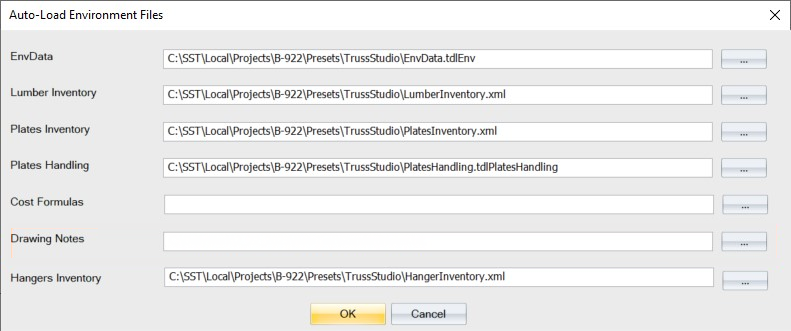
- For each type of file listed, click the associated ... button and navigate to the location that contains the appropriate file.
Once notes are added here, they can be accessed from Truss Studio (Standalone) and Director.
Related Topics