
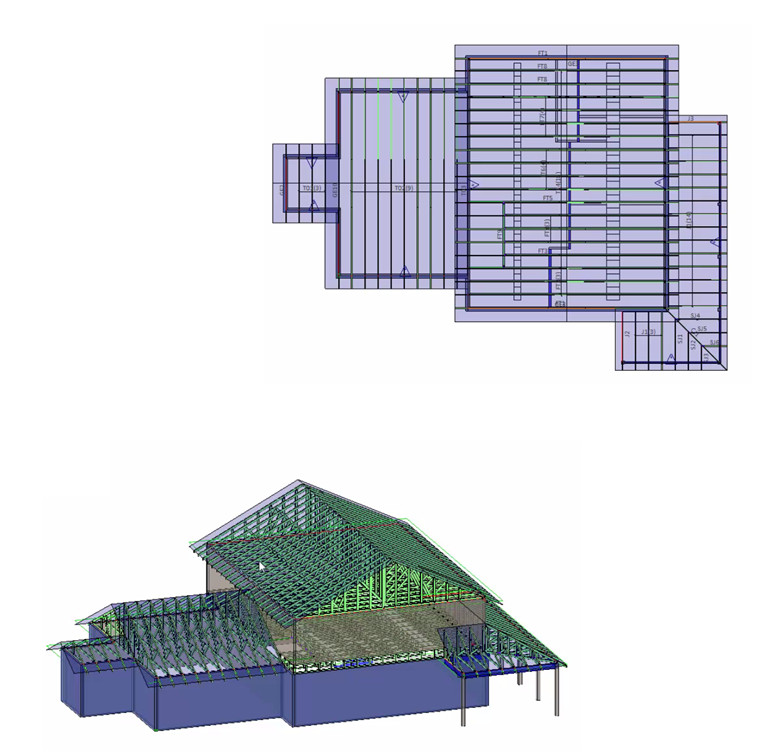
CS Truss Studio™ is an integrated, easy-to-use layout and truss design solution. With CS Truss Studio, design professionals are able to effectively create 3D truss layouts, design individual truss components and specify connectors and ply-to-ply fasteners.
- Easily manage and apply global project settings
- Robust configuration options provide maximum flexibility for design professionals
- Seamless integration with truss layout and design
CS Director™ streamlines the project management process for truss component manufacturers, optimizing workflow and communication throughout the project life cycle. From a single component to a large multi-plan development, CS Director manages your projects with powerful, time-saving features that keep your business running smoothly.
- Intuitive workflows for managing projects including material and preset management, bids through orders, loose-ship materials and services, components and truss sets, production groups, stacking lists and deliveries, and robust reporting options
- Schedule tasks and manage project status using integrated, web-based calendars
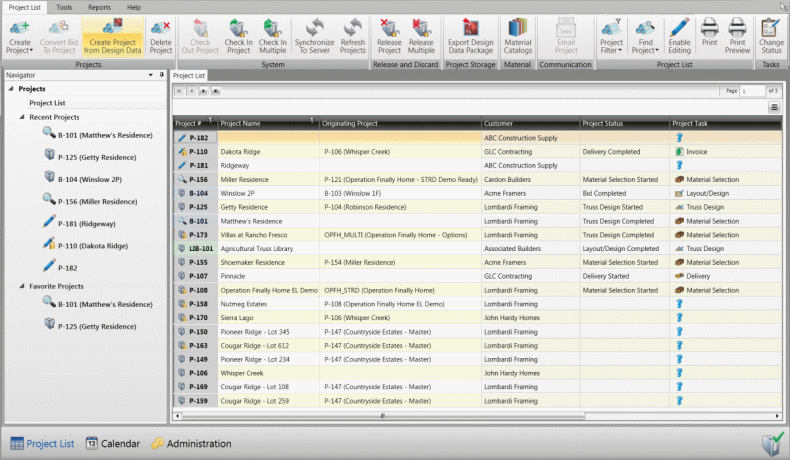
- Project List filters can be configured to display projects and project information that is most important for individual users
NOTICE: Due to ongoing software development, images of the user interface, including workspaces, menus, toolbars, and icons may differ from what is shown in the online help.
CS Director can manage projects of any size, from a single truss to multifamily developments. CS Director provides powerful integrated tools for managing projects from start to finish with functions that include scheduling, design, engineering, production, shipping, and invoicing.
- Components for the entire project are consolidated into a single location, providing the following advantages:
- Changes to components used in multiple plans/elevations only need to be made once.
- Only one sealed engineering document per component is needed, regardless of the number of times it exists within the plans/elevations of a given project.
- Production groupings for components used in multiple plans/elevations can be defined in a single location.
- Plans/Elevations can be reused on as many lots as needed, providing the following advantages:
- Changes to Plans/Elevations used in multiple lots only need to be made once.
- Component stacking order only needs to be defined once per plan/elevation regardless of how many lots use the plan/elevation.
- For more information, see:
Web calendars allow you to:
- Integrate with project tasks.
- Quickly display a single task that can be filtered by employee.
- Drag and drop specific projects from within the calendar. Associated tasks can automatically be reassigned based on lead time settings.
- Define capacities per calendar, such as, # hours or BDFT.
For more information, see Web Calendars
- Administration provides the ability to:
- Configure CS Director to meet your company's needs as it relates to workflow and processes.
- Manage Customers, define tasks, setup employees, user access rights, and much more.
- For more information, see Administration Section
- Material Catalogs provide the ability to:
- Add and price lumber, truss plate, SCL and miscellaneous items.
- Manage materials for the entire suite.
- Define Material Catalog templates with the flexibility to modify at the project level.
- Track inventory (future versions).
- For more information, see:
- Lumber > Dimensional > Selection Overview
- Plates > Costing Configuration Overview
- Miscellaneous Items Overview
The engineering tab is used to:
- Display all the components within the project.
- Send one or more trusses for component review and engineering seals.
- Reporting provides the ability to:
- Add, edit, preview, print and email reports.
- Save and restore report lists.
- Collate reports by group/plan/lot.
- For more information, see Reporting Manager Overview
For assistance with Truss Studio or Director, contact the Simpson Strong-Tie Help Desk at:
(866) 252-8606 or CSHelp@strongtie.com
Component Manufacturing and EWP Help Desk hours are Monday - Friday, 8 a.m. EST - 7:30 p.m. EST