Description
Occasionally, a project may require the use of Preservative-treated (PT) lumber or Fire-retardant (FRT) lumber for special project conditions. PT lumber is chemically treated wood used to resist biological deterioration or decay due to insects, microorganisms, or fungi. FRT lumber is treated with chemicals that resist ignition and slow the spread of fire.
Note that green lumber, which has a moisture content greater than 19%, does not necessarily mean treated lumber; it is important to apply the correct settings in Truss Studio.
Design Practices
A Truss Designer must account for reduction factors as specified in the ICC-ES Evaluation Report (ESR Report) when designing components with PT or FRT lumber. The ESR report provides the necessary fastener (plate) and/or lumber design value factors for that material which are applied using EnvData settings in Truss Studio.
 Note: For FRT and PT lumber design values, some common species are built into the application with reduction factors already applied per the manufacturer's specifications and are ready to add to a project Material Catalog. If the lumber used requires the plates to have a higher corrosion resistance coating (Simpson plates use a minimum of G60), the plates specified by the Truss Designer shall be approved by the Building Designer or Engineer of Record. Plates used in the design of trusses have NOT been designed for prolonged exterior exposure. Exposure to repetitive wetting and drying cycles may degrade the capacity of the metal connector plate joints.
As a best practice when submitting a project for seals where PT or FRT lumber is used, the ESR report should be included in the attachment for review with the project.
Required Actions
- To begin designing with PT or FRT lumber, add the desired material type to the Project Material Catalog. FRT lumber available in Truss Studio has accounted for design value reductions.
For PT lumber, add the matching material grade and lumber type to the PT lumber used in your project. If your project material is not specified in the current software, contact Simpson Engineering for further assistance. For more information about adding materials, see Material Catalogs Overview.
The settings described in the steps below must be applied for plate and incised lumber reductions.
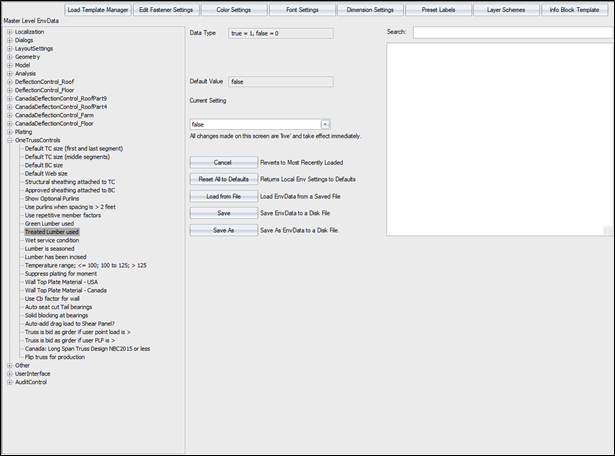
- To apply treated lumber tooth holding reduction factors, navigate to EnvData > OneTrussControls >Treated Lumber used and change the value to true.
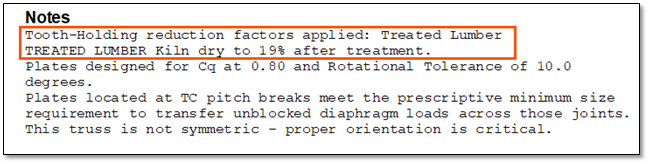
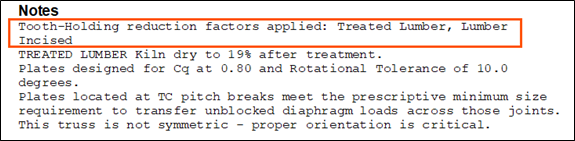
When the setting is True a note appears on the TDD.
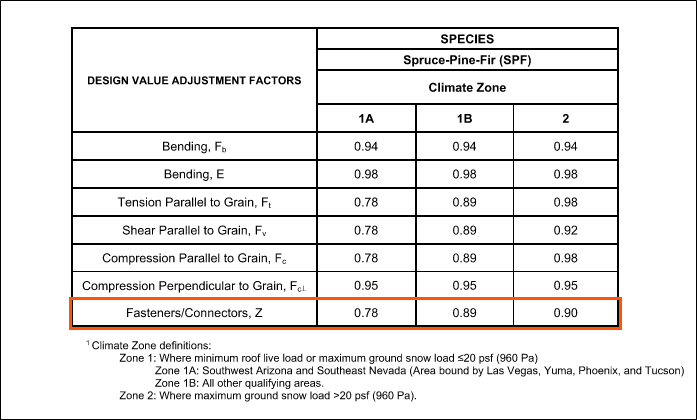
- Determine the fastener reduction factors from the ESR report.
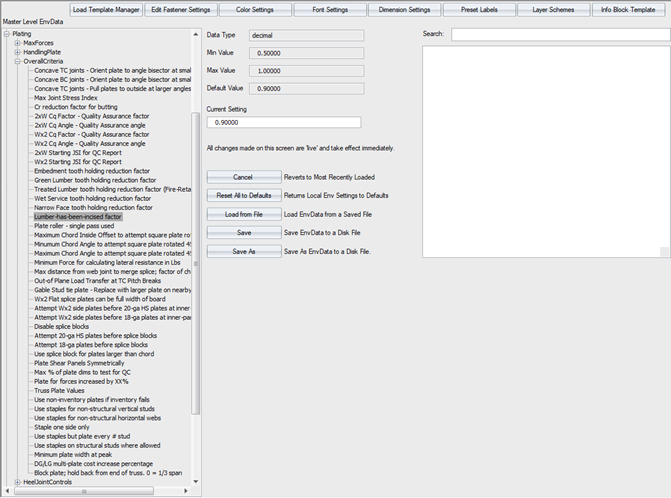
- Navigate to EnvData > Plating > OverallCriteria > Treated Lumber tooth holding reduction factor (Fire Retardant) and change the current value to match the ESR report.
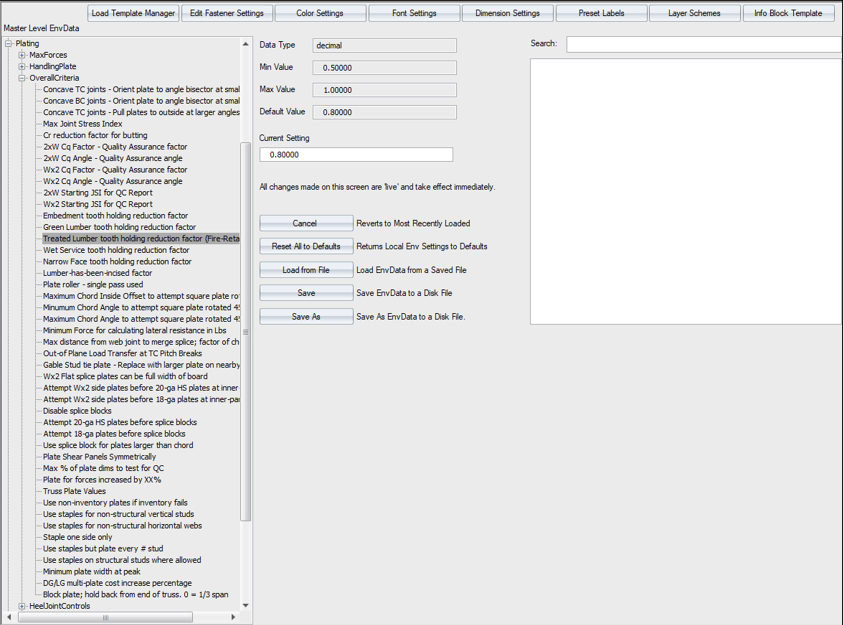
Note: Some components only require FRT for specific members. The setting above for plates should still be modified to ensure plate reductions are taken where appropriate.
If the lumber is incised, another reduction factor is required for plating and must be enabled in Truss Studio.
- To activate the plate incised lumber reduction factor, navigate to EnvData > OneTrussControls > Lumber has been incised and change the setting to True.
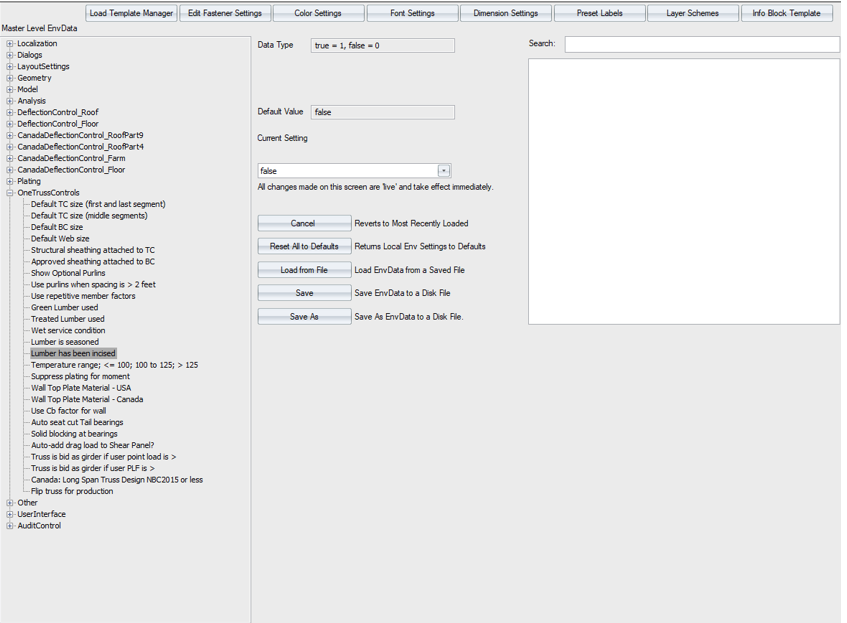
When the setting is True a note appears on the TDD.
- If lumber is incised, determine the reduction factor from the ESR report. Navigate to EnvData > Plating > Overallcriteria > Lumber-has-been-incised factor and change the current value to match the ESR report.