Purpose
This feature is useful on commercial, multifamily projects, where floors and roofs may be the same across different levels.
Steps
- From the General menu, select Copy All or Copy Selected.
The following prompt displays:

- Select a point on the layout.
The following prompt displays:

- Press the space bar and select a point on the layout.
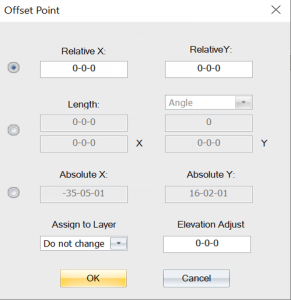
The Offset Point dialog displays. You can copy objects to a specific layer and elevation.
Related Topics