Purpose
Change the size of layout output from letter paper size to tabloid (11x17)
Prerequisites
An existing layout
Steps
- Before outputting an RGT file, go to File > Print Setup.
- Select the paper size from the drop down list. For tabloid size, select 11x17.
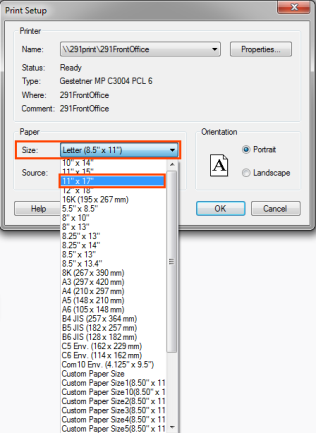
- Click OK.
- Follow the steps outlined in Output an RGL file to output the layout.
Related Topics